
Blood Pressure
XW-03 Wrist Blood Pressure Monitor
A rechargeable wrist monitor with an LCD display, voice on/off settings and memory for two users.
USD · Taxes calculated at checkout. Shipping details
XW-03 · Wrist measurement
A compact format.
A clear place to start.
View systolic pressure, diastolic pressure and pulse on one LCD screen. Physical MEM, SET and START/STOP buttons keep the controls within reach.
Designed for adult wrist measurement as described in the manual. Correct cuff fit and keeping the wrist at heart level are important. Ask your healthcare professional whether this format is suitable for you.
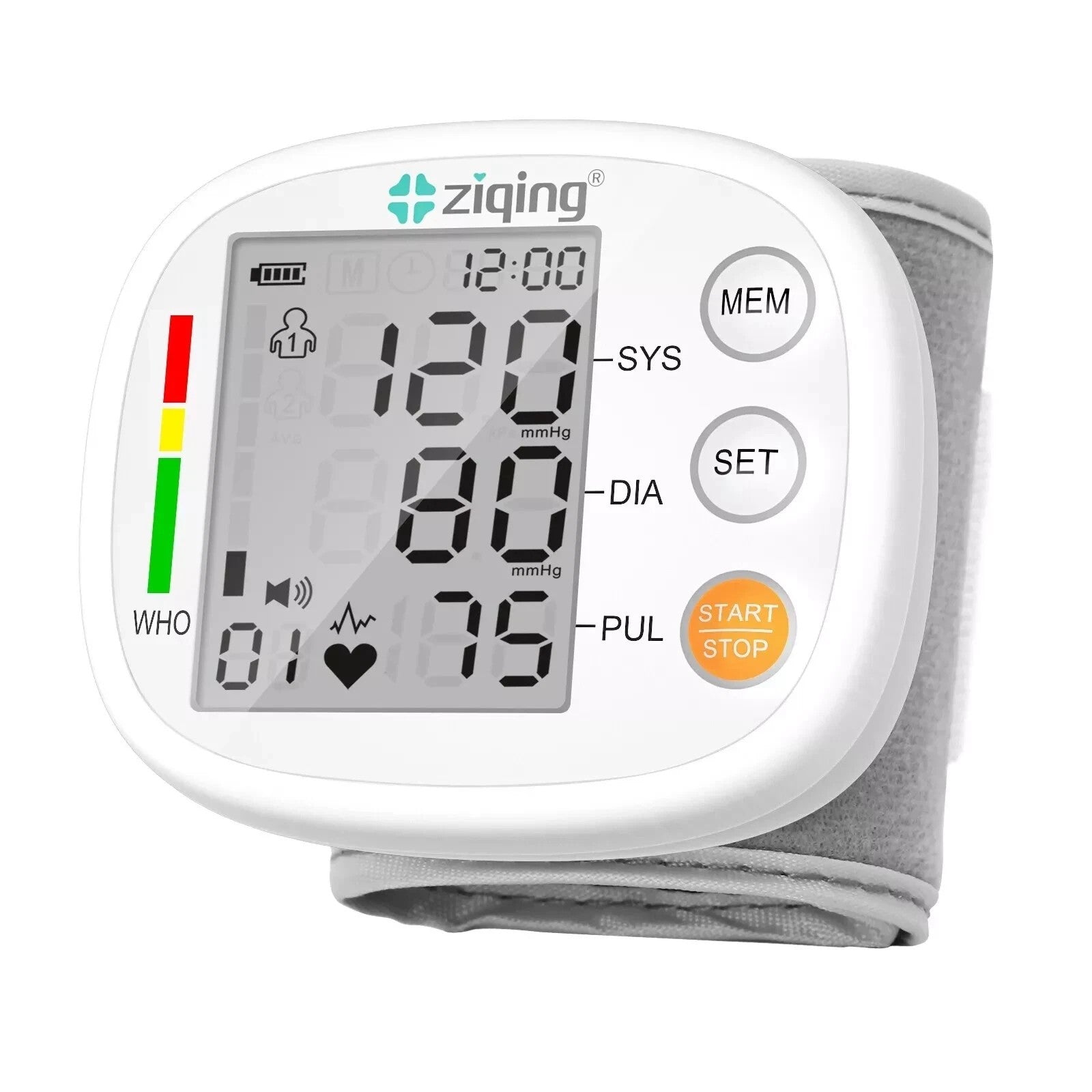
White front-panel version shown. Display values are illustrative.
Two user memories
Keep up to 99 readings for each of two users.
Rechargeable design
Built-in lithium battery with a Type-C charging port.
Voice on or off
Switch the speaker setting to suit your preference.
Getting started
Prepare. Position. Measure.
Read the complete XW-03 manual before use. This is a setup overview, not a substitute for its instructions or professional guidance.
Before you beginRest for at least five minutes. Sit quietly with your feet on the ground. Follow the manual's full preparation guidance.
-
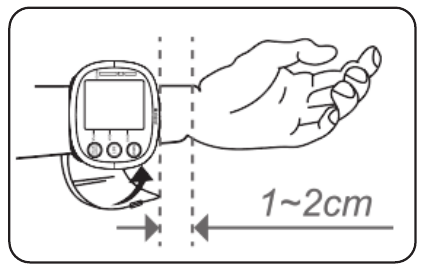
Illustration from the XW-03 user manual. 01 · Fit
Fit the wrist cuff.
Remove wrist jewellery. Fit the cuff as illustrated, with its edge 1-2 cm from the wrist crease. Avoid a loose or overly tight fit.
The manual includes fitting diagrams and positions to avoid.
-
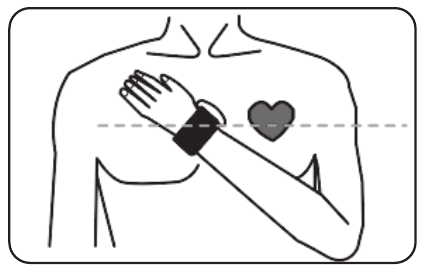
Illustration from the XW-03 user manual. 02 · Position
Keep at heart level.
Keep the wrist at heart level and the hand relaxed. Do not bend the wrist, clench your fist, move or talk during measurement.
Follow the complete fitting and posture instructions before starting.
-
White front-panel version shown. 03 · Start
Start the measurement.
With the cuff fitted, press START/STOP. Remain still and quiet while the monitor takes the reading.
START/STOP also stops a measurement. Do not start inflation before fitting the cuff.
-
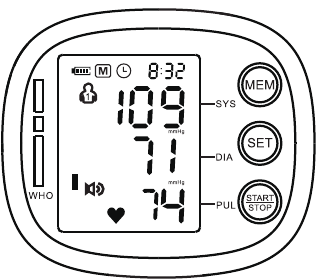
Manual illustration. Values shown are examples. 04 · Finish
Read and finish.
After the reading, remove the cuff and switch off. Check the manual if an error appears, and contact support if it continues.
Do not diagnose yourself or change treatment based on readings.
Scroll or swipe through all four steps. Keep the complete manual nearby.
Do not start inflation before fitting the cuff. If it becomes painful or excessively tight, stop the measurement and remove the cuff. Do not diagnose yourself or change treatment based on readings.
The details
In the box & specifications.
In the box
- Monitor with wrist cuff× 1
- USB cable× 1
- User manual× 1
A USB power adapter is not included.
Charging, care and replacement cuffs
Follow the manual's charging instructions when the low-battery icon flashes. Do not clean the surface with corrosive liquids or attempt internal repairs.
Need a replacement cuff or help with your version? Contact XW-03 support.
| Model | XW-03 |
|---|---|
| Format | Wrist blood pressure monitor |
| Display | LCD; systolic pressure, diastolic pressure and pulse |
| Wrist circumference | Approx. 13.5-19.5 cm |
| Memory | 2 users × 99 readings |
| Battery | Built-in rechargeable lithium battery |
| Charging | Type-C port; USB DC 5V, 1A |
| Dimensions | 80 × 68 × 30 mm |
| Weight | 115 g |
| Auto shut-off | Approx. 60 seconds with no operation |
| Water ingress rating | IPX0; not water-resistant |
For the complete technical specification, measurement conditions and safety precautions, read the XW-03 manual before use.
Model-specific guidance
Your XW-03, explained.
Keep the full instructions close at hand, from cuff positioning and user settings to error codes and charging.
Open English manual · PDFXW-03 · English · 29 pages · Opens in a new tab
Find the right section.
- Wearing the cuff and measurement posture
- User memory, time and voice settings
- Charging, troubleshooting and safety
- Specifications and package contents
Use instructions for the exact model printed on your device.
Find your format
Explore more blood pressure monitors.
Browse wrist, upper-arm and arm-in designs. Check the size, instructions and available options for each exact model.
Need help choosing? Ask our product support team
Helpful answers
Questions, answered.
What wrist size does XW-03 fit?
The XW-03 manual lists a wrist circumference of approximately 13.5-19.5 cm. Check the fit before use and follow the illustrated wearing instructions.
How many readings can it store?
There are two user memories, each storing up to 99 readings. Select the correct user before measuring. The manual explains how to recall and delete stored readings.
Can I turn the voice off?
Yes. The speaker setting has SP ON and SP OFF options. Follow the parameter-settings section of the XW-03 manual to change it. Available spoken language depends on your product version; ask us before ordering if you need a particular language.
How do I charge it?
XW-03 has a built-in lithium battery and a Type-C charging port. The manual specifies a certified USB DC 5V, 1A adapter; an adapter is not included. Refer to the manual's low-battery and charging instructions.
What if an error code appears?
Stop and check the error-code table in the XW-03 manual. Check cuff fit and posture as directed. If the error continues or the cuff leaks, contact support; do not open or repair the device yourself.
Can I use the readings to diagnose a condition?
No. Do not use readings for self-diagnosis or to change treatment yourself. Discuss results and the suitability of wrist measurement with your healthcare professional. Read all safety precautions before use.
Which option should I select?
Choose the front-panel color and delivery area you need. Sold-out combinations are marked in the selector. Confirm your delivery destination and any spoken-language requirement with us before ordering. Ask our team if you are unsure about compatibility.
Where can I find shipping and return information?
Read our shipping policy and refund policy for the store's current terms.
Talk to Ziqing
Need a hand?
Send a question about your model, accessories or order.
Customer reviews
Reviews load through our review provider. If they do not appear, enable JavaScript and refresh this page.
Refresh reviewsRecently viewed
Products you view will appear here.